



Accepting payments on the go is defined as using mobile and wireless payment technologies, paired with compliant processing accounts, to complete secure transactions outside a fixed retail location. For small to mid-sized U.S. retail merchants, this capability is no longer optional. Customers expect to pay by card, digital wallet, or tap at markets, pop-ups, trade shows, and curbside. This accepting payments on the go guide covers the tools you need, the compliance steps you cannot skip, and the exact process for taking payments anywhere without losing a sale or exposing your business to fraud.
What tools do you need to accept payments on the go?
Mobile payment processing requires two layers of technology: hardware that reads the card and software that processes the transaction. The hardware side ranges from a compact card reader that plugs into a smartphone headphone jack to a full NFC-enabled point-of-sale terminal. The software side is where most merchants underestimate complexity.
Payment Service Providers bundle the merchant account, payment gateway, and processor into a single solution. That bundling matters because it cuts weeks of setup time and removes the need to negotiate three separate contracts. For a small retailer selling at a weekend farmers market, a PSP is almost always the faster path to your first transaction.
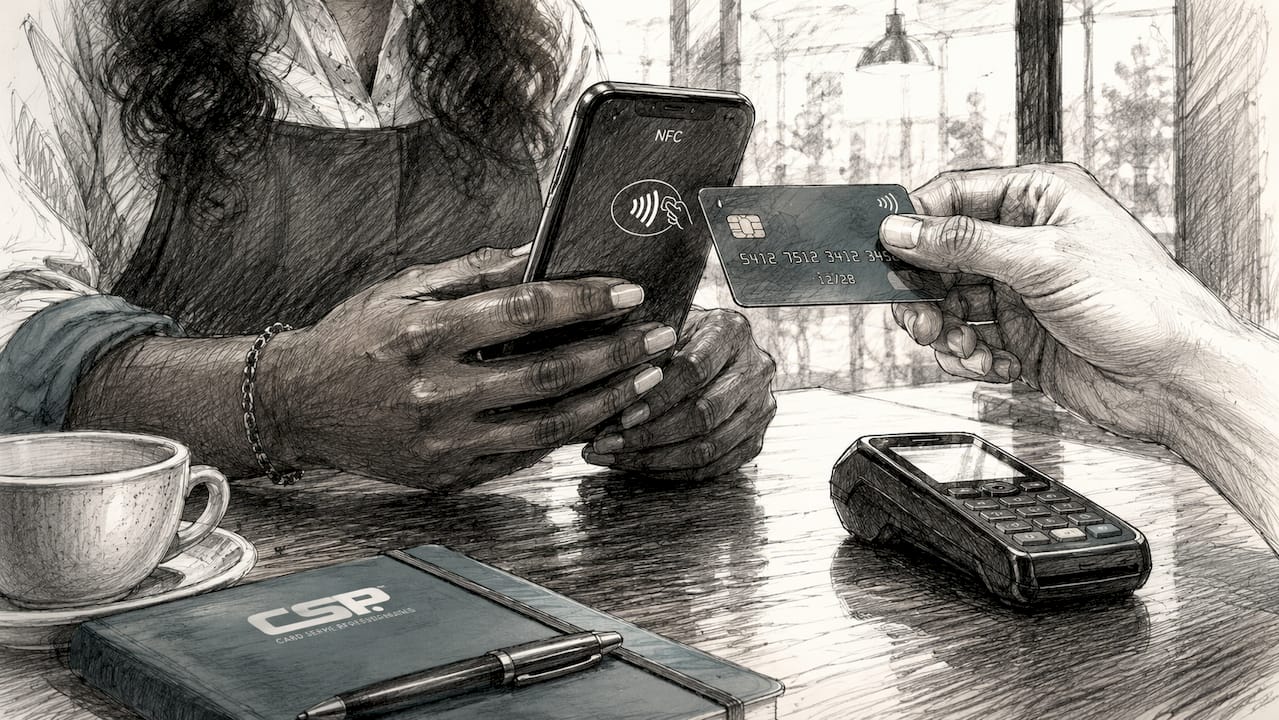
A modern smartphone with NFC capability can accept tap-to-pay transactions without any additional hardware when paired with a compatible app. That removes the “I forgot my reader” problem entirely for merchants who already carry a current-generation phone.
| Feature category | Entry-level field apps | Enterprise platforms |
|---|---|---|
| Setup time | Minutes to hours | Days to weeks |
| Hardware required | Optional (NFC phone) | Dedicated terminals |
| Reporting depth | Basic sales summaries | Full inventory and analytics |
| Monthly fees | Low or none | Higher, tiered |
| Custom integrations | Limited | API-level access |
Pro Tip: Prioritize tokenization and fraud filters when evaluating any mobile payment solution. Per-transaction fees and chargeback liabilities drive your total cost far more than the price of the card reader itself.
How do you set up your account and stay compliant?
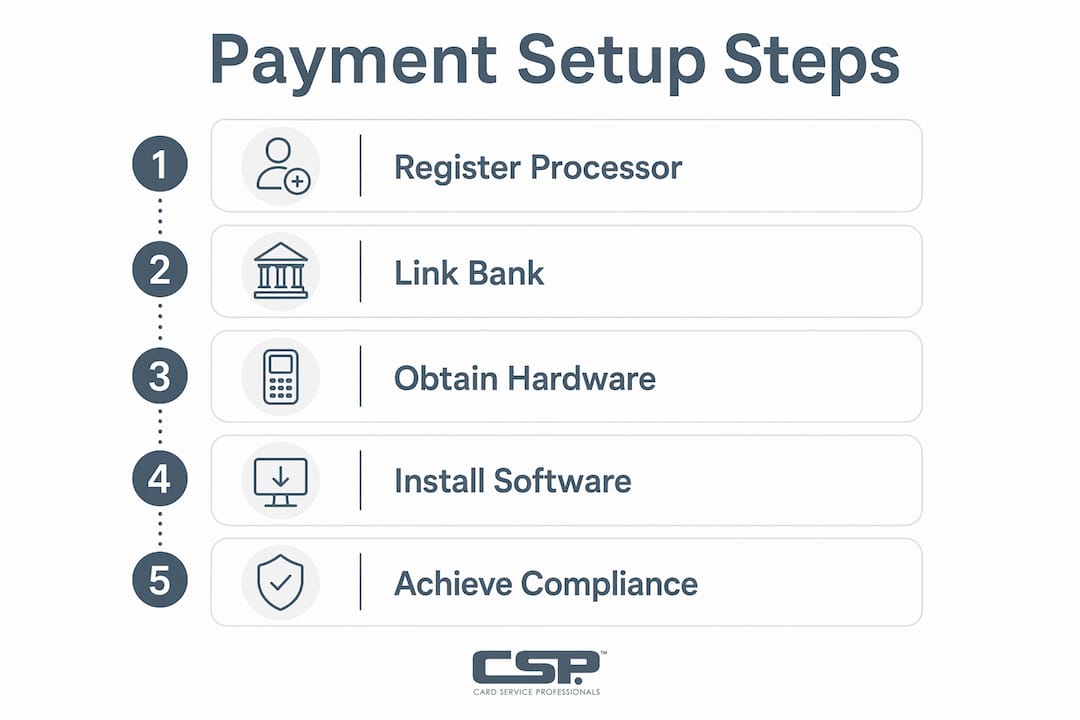
Setting up mobile payments starts with registering with a payment processor, linking your business bank account, and installing the compatible hardware or software on your mobile device. Approval timelines vary. PSP solutions often approve accounts within one business day. Traditional bank-issued merchant accounts can take one to two weeks and require more documentation.
PCI DSS compliance is mandatory for every U.S. merchant that accepts card payments, regardless of transaction volume. Small merchants typically complete a Self-Assessment Questionnaire, known as an SAQ, rather than a full third-party audit. The SAQ asks you to confirm that your systems meet specific security standards covering network access, data storage, and encryption.
Skipping PCI compliance is not a gray area. Card networks can fine non-compliant merchants and hold them liable for breach-related losses. The SAQ takes most small retailers under an hour to complete, and most PSPs walk you through it during onboarding.
Security and compliance checklist for mobile merchants:
- Complete the correct SAQ type for your transaction method (SAQ A for fully outsourced card processing, SAQ B for standalone terminals).
- Never store full card numbers, CVV codes, or magnetic stripe data on your device or in any app.
- Use SSL encryption and fraud detection on every payment channel you operate.
- Enable two-factor authentication on your payment app and processor dashboard.
- Review your PCI compliance status annually or whenever you add a new payment method.
- Watch for payment processing red flags such as processors that discourage compliance questions or charge hidden non-compliance fees.
Step-by-step process for taking payments on the go
A clean transaction process protects both your customer and your revenue. Follow these steps every time you process a mobile payment.
-
Open your payment app and confirm connectivity. Check that your phone has a cellular or Wi-Fi signal before a customer hands over their card. A dropped connection mid-transaction creates confusion and potential double charges.
-
Enter the sale amount and select the payment method. Input the correct total, including tax. Choose whether you are accepting a tap, chip, swipe, or manual entry.
-
Accept the card via NFC, chip, or manual entry. For tap-to-pay, hold the customer’s card or phone near your NFC reader or your NFC-enabled smartphone. For chip cards, insert and wait for the beep. For card-not-present transactions over the phone, use a virtual terminal to key in the card number, expiration date, and CVV manually.
-
Confirm authorization and provide a receipt. Once the processor approves the transaction, send a digital receipt by email or SMS. Paper receipts are optional for mobile setups, but digital confirmation builds customer trust.
-
Test your setup before going live. Run a simulated transaction to verify all payment paths and confirm that error handling works correctly. Most PSPs offer a sandbox or test mode for this purpose.
Pro Tip: Offer at least three payment methods, including credit cards, digital wallets like Apple Pay and Google Pay, and bank transfers where possible. Wider payment options reduce checkout friction and directly improve your conversion rate at events and pop-ups.
Common mistakes to avoid
Manual card entry carries higher fraud risk than chip or tap. Always request the billing zip code and CVV when keying in a card number. Never process a transaction on public Wi-Fi without a VPN, and never store card details in your phone’s notes app or camera roll. These habits prevent the most common mobile payment security failures.
Virtual terminals are a legitimate backup when your card reader fails. Virtual terminals and secure gateways let you accept credit card payments manually without any physical hardware. Keep your processor’s virtual terminal URL bookmarked on your phone for exactly this situation.
How do you choose the best mobile payment app for your retail business?
The right mobile payment app depends on your transaction volume, the types of cards you accept, and how much technical setup you can manage. Entry-level field apps and enterprise platforms serve fundamentally different needs, and choosing the wrong tier costs you either money or capability.
For most small retailers doing under $10,000 per month in card volume, an entry-level field app with flat-rate pricing is the practical starting point. The per-transaction fee is predictable, setup takes minutes, and you avoid monthly minimums. As volume grows, interchange-plus pricing from a full-service processor typically becomes cheaper.
Evaluate any mobile payment solution against these criteria before signing up:
- Security: Does the provider use tokenization? Is PCI DSS compliance built into the platform or left to you?
- Ease of use: Can a new employee process a transaction in under two minutes without training?
- Compatibility: Does the app work on your existing phone model and operating system?
- Reputation: How does the provider handle disputes and chargebacks? Check independent reviews and the Better Business Bureau rating.
- Total cost: Add up the per-transaction fee, monthly fee, chargeback fee, and any hardware cost before comparing providers.
Chargeback risk deserves special attention. A provider with weak dispute management can cost a small retailer hundreds of dollars per incident. Ask specifically how the provider handles friendly fraud and what documentation they require from merchants during a dispute. This question alone separates serious processors from those optimized only for easy signups.
Card Service Professionals works with several of the leading merchant service providers in the United States and can match your business to the right solution based on your volume, industry, and risk profile. That kind of fit matters more than any single feature on a spec sheet.
Key takeaways
Accepting payments on the go requires the right combination of compliant accounts, secure hardware or NFC-enabled devices, and a tested transaction process before you sell your first item at any off-site location.
| Point | Details |
|---|---|
| PCI DSS compliance is mandatory | Complete your SAQ before processing a single card transaction, regardless of volume. |
| PSPs simplify setup | Bundled merchant account, gateway, and processor solutions get small retailers live faster than traditional bank accounts. |
| NFC removes hardware barriers | A current-generation smartphone with a compatible app can accept tap-to-pay without a separate card reader. |
| Total cost beats hardware cost | Per-transaction fees and chargeback liability matter more than the upfront price of any reader or terminal. |
| Test before you sell | Run simulated transactions to catch integration errors and confirm all payment paths work before your first live event. |
Why I think most small retailers overcomplicate this
The merchants I see struggle most with mobile payments are the ones who spend three weeks researching hardware and zero time on their compliance setup. They buy a card reader, download an app, and start swiping, then get hit with a non-compliance fee six months later because they never completed their SAQ.
The actual hardware decision is the easy part. A current smartphone handles tap-to-pay. A $30 chip reader handles the rest. What takes real attention is choosing a PSP that handles PCI compliance as part of onboarding rather than leaving it as a checkbox you find buried in the terms of service.
I also see merchants underestimate the value of testing. Running a $1.00 test transaction through your full setup, including the receipt delivery, takes five minutes. It catches the connectivity issues, the wrong tax rate, and the broken email receipt before a real customer is standing in front of you at a busy market.
The other thing worth saying plainly: flat-rate pricing is not always the cheapest option. It feels simple, and it is. But once your monthly card volume crosses a meaningful threshold, interchange-plus pricing from a full-service processor saves real money. The math is worth doing before you lock into a long-term agreement.
Mobile payment trends keep moving toward NFC and digital wallets. Merchants who build their setup around tap-to-pay today are positioned well for where customer behavior is heading. The merchants who wait are the ones who lose sales to the vendor in the next booth who can take Apple Pay.
— Jerry
How Card Service Professionals supports mobile retail merchants
Small retailers need a payment setup that works at the counter, at the market, and everywhere in between. Card Service Professionals connects U.S. merchants with leading merchant service providers that offer competitive rates, cash discount programs, and full electronic payment options built for mobile retail.
Whether you are setting up your first merchant account or switching from a flat-rate app to a full-service processor, Card Service Professionals guides you through every step, from compliance to hardware selection. The team works as independent sales agents, which means the recommendation you get is based on your business needs, not a single provider’s quota. Visit Card Service Professionals to review your options, or go directly to the sign-up application to get started today.
FAQ
What is the fastest way to start accepting mobile payments?
Registering with a Payment Service Provider is the fastest path. Most PSPs approve accounts within one business day and provide a compatible app and card reader to get you processing immediately.
Do I need a separate card reader to accept payments on the go?
Not always. A smartphone with NFC capability can accept tap-to-pay transactions without additional hardware when paired with a compatible payment app.
Is PCI DSS compliance required for small mobile merchants?
Yes. PCI DSS compliance is mandatory for all U.S. merchants that accept card payments, regardless of transaction volume. Small merchants typically complete a Self-Assessment Questionnaire rather than a full audit.
What is a virtual terminal and when should I use it?
A virtual terminal is a web-based interface that lets you key in card details manually without a physical reader. Use it when your card reader fails or when accepting payments over the phone.
How do I reduce chargeback risk when taking payments on the go?
Always collect the billing zip code and CVV for manual entries, send digital receipts immediately after every transaction, and choose a processor with a clear dispute management process before you sign up.
Recommended
- What Is Merchant Services? A Guide for U.S. Retailers – Card Service Professionals
- Accepting Payments for Service Businesses: 2026 Guide – Card Service Professionals
- Why Accept Credit Cards in Retail: A U.S. Owner’s Guide – Card Service Professionals
- What Is a Payment Processor? A Guide for Retailers – Card Service Professionals
