



A mobile card reader is a compact hardware device that connects to a smartphone or tablet and lets retail businesses accept card payments anywhere, from a storefront counter to a pop-up market booth. The industry term for this setup is a mobile point-of-sale system, or mPOS. Small retail business owners across the US are adopting mPOS solutions to accept contactless payment options, reduce checkout friction, and meet the security standards that card networks now require. This guide covers what hardware and software you need, how to choose the right setup, how to get running fast, and what compliance looks like under PCI DSS 4.0.1 in 2026.
What hardware and software does a mobile card reader retail business need?
The right hardware is the foundation of any mobile payment solution. Modern card readers must support three input methods: EMV chip, NFC contactless, and encrypted mag-stripe. Using mag-stripe only devices exposes your business to fraud losses under the EMV liability shift, meaning you pay for fraudulent transactions that a chip-capable reader would have blocked.
Beyond the reader itself, you need a compatible smartphone or tablet. Device-app compatibility is critical. Poor connections and app crashes often trace back to an outdated operating system or insufficient Bluetooth and NFC specs. Check your device’s OS version and Bluetooth standard before buying any reader.

The software side matters just as much. You need a payment app that handles transaction routing, receipt delivery, and reporting. Many apps also connect to inventory or customer management tools, which turns a simple card reader into a full retail business payment system.
Pro Tip: Validate your smartphone or tablet specs against the reader’s requirements before you buy. A mismatch in Bluetooth version or OS level is the most common reason new setups fail on day one.
Hardware and software requirements at a glance
| Component | Requirement | Why it matters |
|---|---|---|
| Card reader | EMV chip, NFC, encrypted mag-stripe | Prevents liability shift fraud losses |
| Mobile device | Current OS, Bluetooth 4.0+, NFC capable | Prevents crashes and connection drops |
| Payment app | PCI-validated, offline mode, reporting | Keeps transactions secure and visible |
| Internet connection | Wi-Fi primary, cellular backup | Reduces downtime during network issues |
| PCI DSS compliance | SAQ completion, quarterly vulnerability scans | Required for all US merchants accepting cards |
PCI compliance applies to every merchant that accepts card payments, regardless of size or transaction volume. Using hosted or validated encrypted devices reduces your PCI scope significantly. Most US small retail businesses fall under PCI DSS Level 4 and must complete an annual Self-Assessment Questionnaire (SAQ) along with quarterly vulnerability scans.
How do you choose the best mobile card reader for your retail business?
Choosing the right setup comes down to four evaluation criteria: cost structure, contract terms, offline mode support, and app stability. Each one has a direct impact on your daily operations and long-term costs.
No-contract, flat-rate payment models are the recommended starting point for small retail businesses entering mobile payments. Flat-rate pricing is predictable and easy to budget. Interchange-plus pricing costs less at higher volumes but requires more accounting work to track. Avoid long-term equipment leases. Hardware evolves quickly, and a lease locks you into a device that may become outdated before the contract ends.
Aligning POS hardware with existing business systems drives higher returns and smoother operations. If your store already uses inventory software or a CRM, choose a reader and app that integrate natively. Real-time inventory sync means you never oversell. Customer data sync means you can track purchase history without manual entry.
Feature categories and their business impact
| Feature category | What to look for | Business impact |
|---|---|---|
| Pricing model | Flat-rate or interchange-plus, no hidden fees | Controls cost predictability |
| Contract terms | Month-to-month, no long-term lease | Reduces financial risk |
| Offline mode | Local transaction storage during outages | Prevents lost sales |
| App stability | Regular updates, crash reporting | Protects customer experience |
| System integration | Native inventory and CRM sync | Reduces manual data entry |
Offline mode deserves special attention. Relying solely on mobile data connections is a common failure point for retail businesses. A reader with local offline processing stores transactions and submits them when connectivity returns. For a busy Saturday at a farmers market or a pop-up sale, that capability is the difference between completing a sale and losing it.
Pro Tip: Ask any provider whether their offline mode stores transactions locally on the device or queues them in the cloud. Local storage works without any internet. Cloud queuing still requires a connection to save the transaction, which defeats the purpose.
You can also review the full range of payment solution types available to US retailers to see how mobile card readers fit alongside other options like virtual terminals and countertop POS systems.
How do you set up and use a mobile card reader in a retail store?
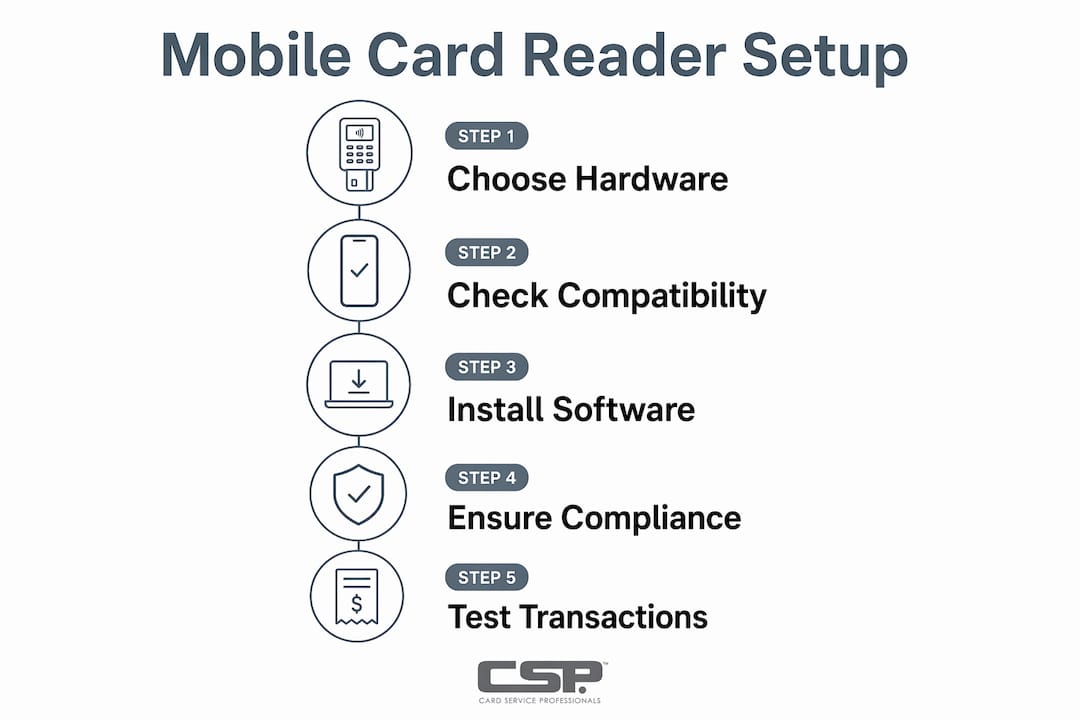
Setup follows a clear sequence. Skipping steps is where most problems start.
- Register a merchant account. Choose a processor with transparent pricing and no long-term contract. Provide your business details, bank account for deposits, and tax ID.
- Order or activate your reader. Some providers offer free hardware with a processing account. Standalone devices may start near $50. Confirm the reader supports EMV, NFC, and encrypted mag-stripe before ordering.
- Install the payment app. Download the provider’s app on your smartphone or tablet. Update your device OS to the current version first.
- Pair the reader. Enable Bluetooth on your device. Follow the app’s pairing instructions. Most readers pair in under two minutes.
- Configure your settings. Set up your product catalog or manual entry, tax rates, tip prompts, and receipt options (email or SMS).
- Run a test transaction. Process a $0.01 or $1.00 test charge on a real card. Confirm the receipt arrives and the transaction appears in your dashboard.
- Train your staff. Walk every team member through a full checkout. Cover how to handle declined cards, refunds, and offline mode.
Daily use best practices
Good daily habits protect both your customers and your business. Keep the reader charged at the start of every shift. A dead reader at checkout frustrates customers and costs you sales. Position the reader so customers can tap or insert their card without handing it to you. That reduces handling time and builds trust.
- Clean the reader’s card slot weekly with a dry cloth. Dust and debris cause chip read errors.
- Log out of the payment app at the end of each day. This limits exposure if the device is lost or stolen.
- Check your transaction dashboard daily. Spot discrepancies early before they become disputes.
- Keep a backup connection method. If your Wi-Fi drops, a cellular hotspot keeps you running.
The retail merchant’s guide to accepting payments on the go from Card Service Professionals covers additional scenarios, including curbside pickup and event-based selling.
How do you maintain security and compliance with mobile card readers in 2026?
Security is not a one-time setup task. It requires ongoing attention to hardware, software, and staff behavior.
PCI DSS 4.0.1 is the current standard for card data security. For most small US retail businesses at Level 4, compliance means completing an annual SAQ and running quarterly vulnerability scans. Non-compliance can result in monthly fines ranging from $5,000 to $100,000. Those fines come from your acquiring bank, not the card networks directly, and they accumulate every month you remain out of compliance.
Hardware risk is real and specific. Mag-stripe-only readers create liability exposure under the EMV liability shift. If a customer uses a chip card and you process it as a swipe because your reader lacks a chip slot, you own the fraud loss. Replacing outdated hardware is not optional in 2026. It is a financial protection measure.
“PCI compliance applies to any merchant accepting card payments, regardless of size or transaction volume. Use hosted or validated encrypted devices to minimize PCI scope and reduce your exposure to data breach liability.”
- Update your payment app whenever a new version releases. Updates often include security patches that close known vulnerabilities.
- Never store card numbers, CVV codes, or PINs on your device or in any spreadsheet.
- Use a dedicated device for payment processing when possible. Avoid installing unrelated apps on the same phone or tablet.
- Enable remote wipe on your payment device. If it is lost or stolen, you can erase it before any data is accessed.
Pro Tip: Set your payment app to auto-update. Manual update habits fail under the pressure of a busy retail day. Automatic updates keep your security posture current without requiring staff action.
The small business payment processing checklist from Card Service Professionals walks through every compliance step in plain language, including SAQ selection and scan scheduling.
Key Takeaways
A mobile card reader retail business setup succeeds when hardware, software, compliance, and pricing all align with how your store actually operates.
| Point | Details |
|---|---|
| Hardware must cover all input types | Choose readers with EMV chip, NFC contactless, and encrypted mag-stripe to avoid fraud liability. |
| PCI DSS 4.0.1 applies to every merchant | Complete your annual SAQ and quarterly scans to avoid fines up to $100,000 per month. |
| Offline mode prevents lost sales | Select hardware with local offline processing so network outages do not stop transactions. |
| Flat-rate, no-contract pricing protects flexibility | Avoid long-term leases; month-to-month agreements let you upgrade hardware as technology changes. |
| System integration drives real returns | Native sync with inventory and CRM tools reduces manual work and improves customer data accuracy. |
What I have learned from watching retailers adopt mobile payments
Working with small retail businesses across the US, I see the same pattern repeat. Owners focus almost entirely on the transaction fee and ignore everything else. They pick the lowest rate, get locked into a lease, and then discover the hardware does not integrate with their inventory system. Six months later they are managing two separate systems and entering data twice.
The fee matters, but it is rarely the deciding factor in whether a mobile payment setup actually works for your business. Offline mode, app stability, and native integration with your existing tools determine whether the system helps you or fights you every day.
The other mistake I see constantly is skipping the test transaction. Owners set up the reader, assume it works, and find out it does not when a real customer is standing at the counter. A five-minute test before you open saves an embarrassing moment and a lost sale.
Flexible, no-contract pricing gives new retailers the ability to adapt as their business grows. That flexibility is worth more than a slightly lower rate on a contract that traps you with hardware you will outgrow. The retailers I see succeed with mobile payments treat the setup as a system, not just a device. They match the reader to the app, the app to their existing software, and the whole stack to their actual sales environment.
— Jerry
How Card Service Professionals can help you get set up right
Card Service Professionals works with small retail businesses across the US as an independent sales agent for several of the country’s leading merchant service providers. That independence means you get honest guidance on which setup fits your business, not a pitch for a single product.

Whether you need a simple mobile card reader solution for a single location or a full retail payment system with cash discount programs and contactless payment options, Card Service Professionals matches you with the right processor, hardware, and pricing model. The team handles compliance questions, helps you avoid long-term lease traps, and makes sure your setup meets PCI DSS 4.0.1 requirements from day one. Visit Card Service Professionals to review your options and get a rate comparison with no obligation.
FAQ
What is a mobile card reader for retail businesses?
A mobile card reader is a compact device that connects to a smartphone or tablet and processes card payments in person. It supports EMV chip, NFC tap-to-pay, and mag-stripe swipe transactions through a paired payment app.
How much does a mobile card reader cost?
Card reader costs vary widely. Some providers include a free reader with a processing account, while standalone devices may start near $50. Always evaluate the total cost of ownership, including transaction fees and monthly software costs, not just the hardware price.
Do small retail businesses need to be PCI compliant?
Yes. PCI compliance is required for every merchant that accepts card payments, regardless of size. Most small US retailers fall under Level 4 and must complete an annual SAQ and quarterly vulnerability scans.
What happens if my internet goes down during a sale?
A card reader with offline mode stores the transaction locally on the device and submits it when connectivity returns. Relying solely on mobile data is a common failure point, so offline capability is a required feature for any retail environment.
What is the EMV liability shift and why does it matter?
The EMV liability shift means that if a customer uses a chip card and you process it as a mag-stripe swipe, you are responsible for any resulting fraud loss. Using mag-stripe-only devices exposes your business to those losses, making EMV-capable hardware a financial necessity, not just a feature upgrade.
Recommended
- What Is Mobile Payment? A 2026 Guide for Retailers – Card Service Professionals
- Accepting Payments on the Go: A Retail Merchant’s Guide – Card Service Professionals
- Why Small Retailers Need Card Processing in 2026 – Card Service Professionals
- Small Business Payment Processing Checklist for 2026 – Card Service Professionals
