



A declined card transaction is defined as a payment authorization request that the issuing bank has rejected, resulting in a response code sent back through the payment processor to the merchant’s terminal. Every U.S. retail merchant encounters these rejections, and the difference between a lost sale and a recovered one often comes down to understanding what that code actually means. This guide covers declined card explained for merchants in plain terms: what the codes signal, which declines are recoverable, how to communicate with customers, and how to build smarter payment workflows that reduce revenue loss.
What are the most common decline codes merchants encounter?
Decline codes originate from the issuing bank during the authorization process and travel back to you through your processor. The industry term for these is ISO 8583 response codes, a global standard that maps numeric codes to specific rejection reasons. Knowing the most frequent codes is the foundation of any solid payment recovery strategy.

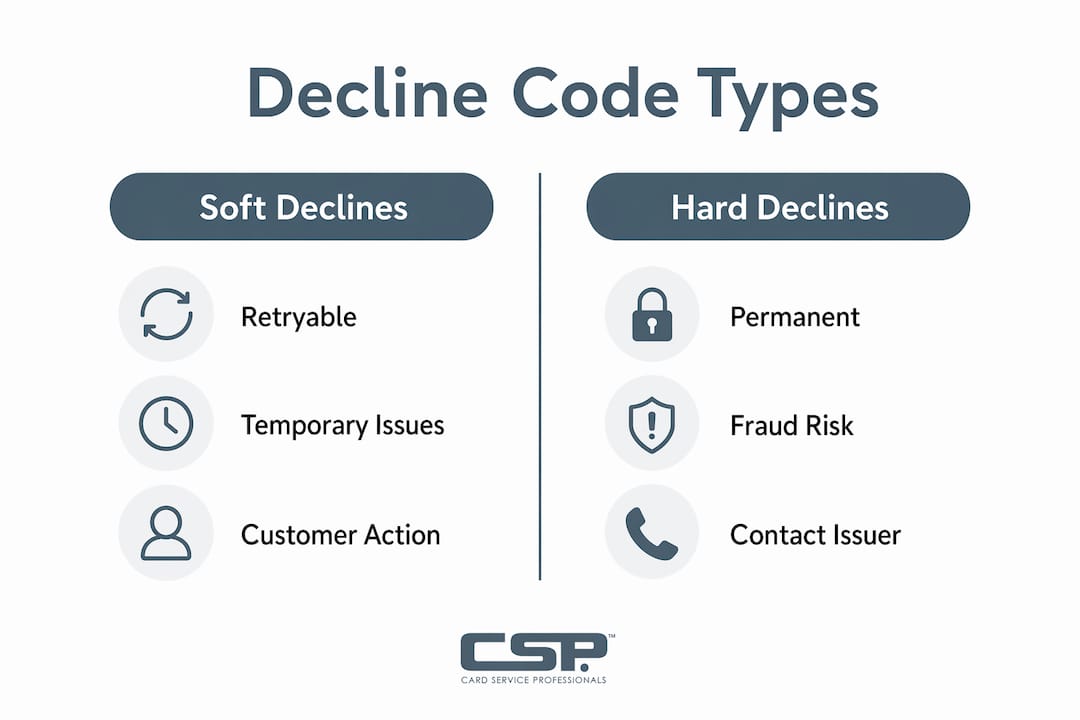
The most important distinction is between soft declines and hard declines. Soft declines are potentially recoverable; hard declines require the customer to take action before any retry will succeed. Treating them the same way wastes time and frustrates customers.
| Code | Meaning | Decline type | Suggested merchant response |
|---|---|---|---|
| 05 | Do Not Honor | Soft (generic) | Ask customer to try another card or call their bank |
| 51 | Insufficient Funds | Soft | Suggest a partial payment or alternative card |
| 54 | Expired Card | Hard | Ask customer to update payment method |
| 14 | Invalid Card Number | Hard | Request customer re-enter or use a different card |
| 41 / 43 | Lost / Stolen Card | Hard | Do not retry; follow your processor’s security protocol |
Code 05 “Do Not Honor” is the most common and the least informative. The issuing bank is refusing the transaction without explaining why, which can mask anything from a fraud flag to a temporary account hold. Code 51 is straightforward: the account lacks funds right now, but a retry later or a different card often works. Codes 41 and 43 are the most serious. Retrying a lost or stolen card is a compliance risk, not just a customer service problem.
Pro Tip: Never display raw numeric codes on your terminal screen or receipt. Translate them into plain language. “Your bank declined this payment. Please try another card or contact your bank” is far more useful to a customer than seeing “05.”
Why does a merchant’s own system decline a card payment?
Not every decline comes from the issuing bank. Merchant-side declines occur because of configuration issues or unsupported card types, and they look different from issuer declines in both their error codes and their fix.
Common merchant-side causes include:
- Invalid merchant account setup. Your merchant category code (MCC) may block certain card types or transaction amounts. A firearms retailer, for example, may see declines on cards whose issuers restrict purchases in that MCC.
- Unsupported card networks. If your terminal is not configured to accept a specific network, such as Discover or a foreign-issued card, the processor rejects the transaction before it ever reaches the issuing bank.
- Processor or gateway errors. Codes like “processor declined” or “gateway timeout” point to a technical failure in your payment stack, not the customer’s account.
- AVS or CVV mismatches. Your fraud settings may be set to auto-decline when the billing address or security code does not match, even if the card itself is valid.
- Velocity filters. Some processors flag multiple rapid transactions from the same card as suspicious and block them automatically.
The key diagnostic question is: does the decline code reference the issuer, or does it reference your system? Issuer declines carry standard ISO 8583 codes. Processor or gateway declines often return proprietary codes or plain-text error messages. When you see a processor error, contact your payment processor before asking the customer to do anything. The problem is on your side of the transaction, and the customer cannot fix it.
Pro Tip: Audit your terminal and gateway settings quarterly. Confirm which card networks you accept, review your AVS and CVV rules, and check velocity thresholds. A misconfigured fraud filter is one of the most common and most avoidable sources of merchant card payment issues.
How should merchants respond after a card is declined?
Customer communication after a decline is where most retail merchants lose the sale permanently. The goal is to keep the customer calm, give them a clear next step, and complete the transaction if at all possible.
Follow this sequence after any decline:
- Identify the decline type first. Check whether the code is soft or hard before saying anything to the customer. A soft decline means you have options. A hard decline means the customer must act.
- Translate the code into plain language. Avoid exposing technical decline codes to customers. Say “Your bank has placed a hold on this transaction” rather than reading out a code number.
- Offer a specific alternative. For soft declines, ask if they have another card. For insufficient funds (code 51), offer a split payment if your system supports it. For expired cards (code 54), customers must update their payment method before any retry will work.
- Retry soft declines with a delay. Retrying soft declines after a short delay is effective. Retrying hard declines immediately wastes everyone’s time and can trigger additional fraud flags on the customer’s account.
- Document the outcome. Log the decline code, the time, and the resolution. This data helps you spot patterns, such as a spike in code 51 declines on Friday afternoons, that point to systemic issues.
Pro Tip: Build two separate retry flows: one for soft declines and one for hard declines. Soft declines get an automatic retry after a set interval. Hard declines trigger an immediate customer notification requesting a payment update. Separating these flows improves recovery rates and reduces unnecessary processor fees.
For subscription or card-on-file merchants, designing customer service flows around specific decline codes rather than generic fallback messages significantly improves recovery. A customer who receives a message saying “Your card on file has expired. Please update your payment method here” is far more likely to act than one who receives a generic “Payment failed” alert.
What advanced tools help merchants manage declined transactions?
Merchants who treat decline handling as a rules-engine problem recover more revenue than those who handle each decline manually. The concept is straightforward: map every decline code to a specific set of actions, and automate those actions.
Here is what a practical rules engine looks like in a retail payment environment:
- Code-to-action mapping. Each decline code triggers a predefined response: retry window, customer message, and fallback payment option. Mapping codes to retry timing and customer messages removes guesswork from the recovery process.
- Merchant advice codes. Visa and Mastercard issue supplemental advice codes alongside standard decline codes. These codes give more specific guidance, such as “do not retry” or “retry after 72 hours,” and your processor should surface them if your gateway supports it.
- Decline analytics dashboards. Many modern payment platforms offer reporting that breaks down declines by code, card type, time of day, and transaction amount. Reviewing this data monthly reveals patterns that manual review misses.
- Network-specific code maps. Decline codes differ among card networks. Visa, Mastercard, American Express, and Discover each use variations of the ISO 8583 standard. Use the code map that matches your processor and card mix rather than a generic reference.
| Tool or feature | What it does | Benefit to merchant |
|---|---|---|
| Rules engine | Automates retry and messaging by code | Reduces manual handling and lost sales |
| Merchant advice codes | Provides network-specific retry guidance | Prevents wasted retries on hard declines |
| Decline analytics | Tracks decline patterns over time | Identifies systemic issues before they grow |
| Network code maps | Matches codes to your specific processor | Improves accuracy of decline interpretation |
Automation does not replace good customer service. It handles the routine cases so your staff can focus on the complex ones. A customer whose soft decline is automatically retried and resolved never needs to interact with your team at all. That is the outcome worth building toward.
Key Takeaways
Declined card transactions are manageable when merchants understand the difference between issuer declines and merchant-side errors, apply code-specific retry logic, and communicate clearly with customers.
| Point | Details |
|---|---|
| Soft vs. hard declines | Soft declines are retryable; hard declines require the customer to update payment details first. |
| Merchant-side errors | Configuration issues, unsupported card types, and AVS mismatches cause declines unrelated to the customer’s bank. |
| Customer communication | Translate decline codes into plain language; never display raw numeric codes to customers. |
| Retry logic | Build separate retry flows for soft and hard declines to maximize recovery and avoid processor penalties. |
| Rules-engine approach | Map each decline code to a specific retry window, customer message, and fallback action to reduce revenue loss. |
What I’ve learned from watching merchants handle declines the wrong way
After working with U.S. retail merchants across a wide range of payment environments, the single most common mistake I see is treating every decline the same way. A cashier who responds to a code 54 expired card the same way they respond to a code 51 insufficient funds is going to frustrate the customer and miss the recovery. Those are completely different problems with completely different solutions.
The second mistake is ignoring merchant-side declines. I have seen retailers spend weeks blaming their customers’ banks for a spike in declines, only to discover their gateway’s AVS settings were rejecting valid cards because of a minor address formatting mismatch. A quick audit of your processor settings would have caught it in an hour.
The merchants who handle this well share one habit: they review their decline data regularly. Not obsessively, but monthly. They know their top five decline codes, they know which ones are trending up, and they have a clear protocol for each one. That kind of discipline turns a frustrating payment problem into a manageable process. Partnering with a processor who gives you access to that data and explains what it means is not optional. It is the baseline you should expect from any payment relationship.
— Jerry
Card Service Professionals supports merchants through every declined transaction
Declined payments cost U.S. retailers real revenue, and the fix starts with having the right processing partner behind you.

Card Service Professionals works with several of the leading merchant service providers in the United States, giving retail merchants access to competitive rates, cash discount programs, and payment tools built for real-world transaction environments. Whether you need clearer decline reporting, better terminal configuration, or a full credit card processing review, the team at Card Service Professionals is ready to help. Merchants who want to reduce payment friction and recover more declined transactions can start the application process today and get set up with a processing solution that works for their business.
FAQ
What does a declined card mean for a merchant?
A declined card means the issuing bank rejected the payment authorization request and sent a response code back through the processor. The merchant receives that code and must decide whether to retry, request another payment method, or escalate.
What is the difference between a soft and a hard decline?
A soft decline is potentially recoverable, such as insufficient funds, and may succeed on a retry or with a different card. A hard decline, such as an expired or lost card, requires the customer to update their payment details before any retry will work.
Why would a card be declined by a merchant’s own system?
Merchant-side declines happen when the terminal or gateway rejects a transaction due to configuration issues, unsupported card networks, or fraud filter settings. These are not issuer declines and require the merchant to audit their payment setup, not the customer to contact their bank.
What should a merchant say to a customer after a card is declined?
Translate the decline code into plain language and give the customer a specific next step. For example, say “Your bank has placed a hold on this payment. Please try another card or contact your bank” rather than displaying a numeric code.
How can merchants reduce the number of declined card transactions?
Merchants reduce declines by auditing their gateway settings regularly, building code-specific retry logic, using merchant advice codes from Visa and Mastercard, and reviewing monthly decline analytics to catch patterns early.
Recommended
- Credit Card Processing Explained for U.S. Retailers – Card Service Professionals
- Card Service Professionals – Credit Card Processing Experts
- Pay by Phone Explained for U.S. Retail Merchants – Card Service Professionals
- Why Small Retailers Need Card Processing in 2026 – Card Service Professionals
