



What manual card entry actually means and when you would use it
Manual card entry, also called a keyed transaction, is exactly what it sounds like: a cashier or payment processor types card details directly into a terminal or virtual payment interface instead of reading them through a chip, swipe, or tap. The industry term you will hear most often is “card-not-present” (CNP) transaction, because the physical card is either absent or unreadable by the hardware.
Common scenarios include:
- Phone and mail orders where the customer reads card details aloud or submits them on a form
- Damaged or unreadable cards where the chip and magnetic stripe both fail at the point of sale
- Field service payments collected on-site without a functioning reader
- E-commerce back-office entries processed by staff on behalf of a customer
The data required every time: the full card number (16 digits for Visa, Mastercard, and Discover; 15 for American Express), expiration date, CVV security code, and billing zip code. Because no physical card is read, manual entry is classified as card-not-present, which carries meaningfully higher fraud risk and processing costs than chip or tap transactions. Major retailers often disable the feature entirely due to those risks.
Table of Contents
- What you need in place before processing a manual entry
- How to process a manual card entry, step by step
- When manual card entry makes sense for your business
- Risks, fees, and liability you need to understand
- Alternatives that reduce your risk and fees
- Common manual entry mistakes and how to avoid them
- Key Takeaways
What you need in place before processing a manual entry
Getting the data right is only half the equation. Your setup has to support it securely.
- Compatible terminal or software. Your point-of-sale system, virtual terminal, or mobile app must have manual entry enabled. Most mobile POS apps include it as a fallback for unreadable cards, but access is usually restricted to managers.
- AVS and CVV validation capability. Address Verification Service (AVS) and CVV checks are not optional for keyed transactions. Without them, your fraud exposure and chargeback risk climb sharply.
- PCI DSS compliance readiness. Manual entry expands your PCI scope. If card data is spoken over the phone, every environment where it can be heard falls under PCI DSS 4.0, including home offices and open call centers.
- Point-to-point encryption (P2PE). Using a P2PE-certified terminal or virtual payment portal reduces PCI scope and protects data in transit.
- Staff training. Whoever enters card data needs to understand what they cannot do: write numbers down, store CVV post-authorization, or read card details aloud in earshot of others.
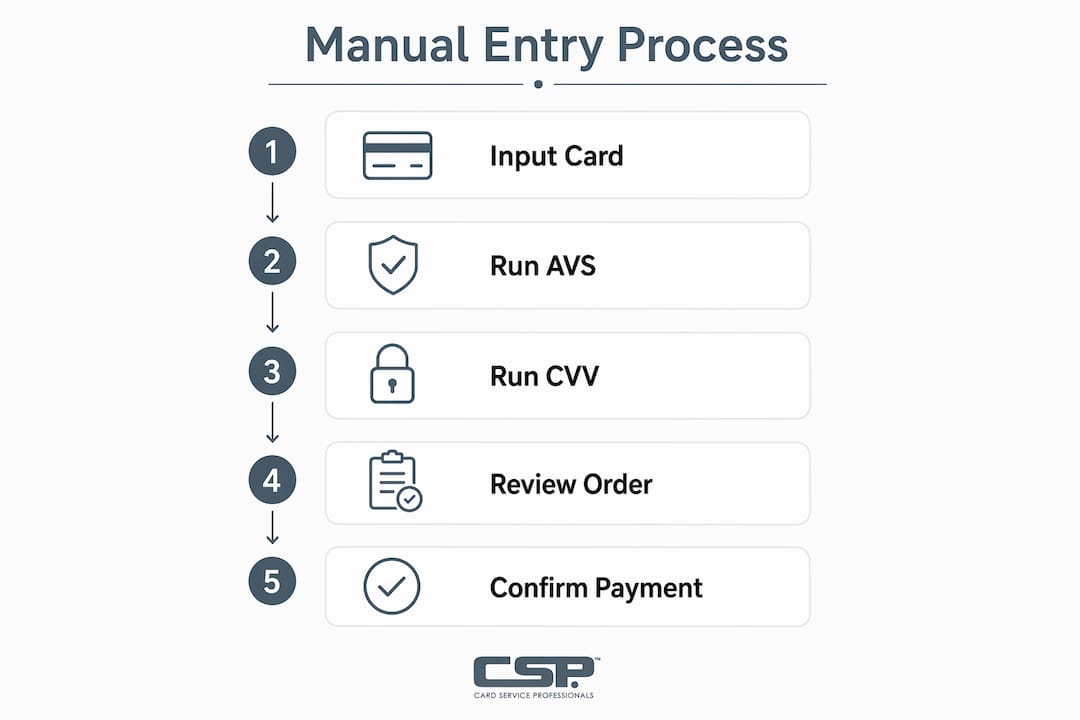
How to process a manual card entry, step by step
- Select manual entry mode. On your terminal or software, choose the keyed or manual entry option. On many systems, this appears after a failed card read.
- Enter the card number. Type the full card number carefully. A single transposed digit will generate a decline.
- Enter the expiration date. Use the MM/YY format printed on the card.
- Enter the CVV. The three-digit code on the back (four digits on the front for Amex). This triggers CVV validation at the network level.
- Enter the billing zip code. This runs the AVS check, comparing the zip against what the card issuer has on file. A mismatch is a red flag; a match helps qualify for better interchange rates.
- Review and submit. Double-check all fields before submitting. The processor sends the request to the card network, which returns an approval or decline code, typically within seconds.
- Record the transaction. Note the authorization code, transaction ID, and any AVS/CVV response codes. Keep this for dispute resolution.
- Settlement. Batch your transactions at end of day. Keyed transactions settle the same way as card-present sales, but the authorization record should clearly reflect the manual entry method.
When manual card entry makes sense for your business
Not every business should rely on it regularly, but there are legitimate cases where it is the right call.
- Phone and mail order businesses (MOTO merchants) where the customer is never physically present. This is the primary designed use case.
- Card reader failure at the point of sale. If the chip reader and swipe both fail and the customer cannot use a digital wallet, manual entry is the fallback that keeps the sale alive.
- Service businesses collecting payment in the field without reliable reader connectivity.
- Subscription or recurring billing where a customer’s card details are entered once into a secure vault and reused with authorization.
Sectors that rely on manual entry most heavily include healthcare billing, legal services, contractors, and any business taking orders by phone. The transaction type remains essential for these models despite the added cost and risk. That said, every manual entry should be a deliberate choice, not a default habit.
Risks, fees, and liability you need to understand
This is where manual card entry gets expensive, and where most merchants underestimate their exposure.
- Higher interchange fees. A chip-read Visa debit transaction incurs interchange fees of about 0.80% plus $0.15, while a keyed-in transaction jumps to about 1.65% plus $0.15. On high volume, that gap adds up fast.
- Fraud liability shifts to you. With chip transactions, the card issuer often absorbs fraud losses. With manual entry, that liability lands on the merchant. A fraudulent keyed transaction is almost always your loss.
- Elevated chargeback rates. Keyed transactions see higher chargeback rates than card-present sales. Without AVS and CVV verification, disputing a chargeback is nearly impossible.
- PCI DSS scope expansion. Phone-based manual entry pulls your entire physical and digital environment into PCI DSS 4.0 scope. That includes every desk, room, or remote workspace where card data could be overheard.
- CVV storage violations. PCI DSS prohibits storing CVV after authorization, yet many merchants inadvertently retain it in logs or databases. This is a direct compliance failure.
Pro Tip: Always run AVS and CVV checks on every keyed transaction, and review orders above your average ticket size manually before fulfilling. Flagging mismatches before shipping or delivering a service is far cheaper than fighting a chargeback after the fact. Check the payment processing red flags that signal fraud before it costs you.
Alternatives that reduce your risk and fees
Where possible, replacing manual entry with a more secure method protects both your margins and your compliance posture.
- Chip and contactless transactions are the standard for in-person sales. They trigger liability protection from the card networks and carry the lowest interchange rates.
- Digital wallets (Apple Pay, Google Pay, Samsung Pay) use tokenization, meaning the actual card number never travels through your system. A customer whose physical card is damaged can often tap their phone instead.
- Hosted payment pages let remote customers enter their own card data directly into a PCI-compliant form, keeping that data out of your environment entirely.
- Virtual terminals with P2PE are the right tool when you genuinely need to key in card data. They reduce PCI scope and encrypt data at the point of entry.
- Virtual card numbers generated through a card issuer’s app can sometimes be keyed in the same way as a physical card number, useful when the physical card is unavailable.
Understanding how transaction management systems handle card-not-present data helps you choose the right tool for each scenario.
Common manual entry mistakes and how to avoid them
Errors here are costly because they either kill the sale or open you to fraud.
- Transposed digits in the card number. The most common mistake. Read the number back before submitting, or have the customer confirm it digit by digit.
- Wrong expiration date format. Entering the year before the month, or using a four-digit year, causes an immediate decline on most systems. Always use MM/YY.
- Skipping AVS or CVV checks. Some terminals let you bypass these. Never do it. Both checks are your primary fraud defense on a keyed transaction.
- Storing CVV in any system. Even in a notes field or a spreadsheet. This violates PCI DSS regardless of whether the data is encrypted.
- Entering card data in an unsecured environment. Typing a card number into a standard email, SMS, or unencrypted document is a compliance failure and a data breach waiting to happen.
- Failing to record the authorization code. Without it, you cannot defend against a chargeback claiming the transaction was unauthorized.
Reviewing your processing cost structure regularly helps you spot whether manual entries are quietly inflating your fees beyond what the business case justifies.
Key Takeaways

Manual card entry is a legitimate but high-cost, high-risk payment method that demands strict compliance controls, AVS and CVV verification, and a clear policy on when staff may use it.
| Point | Details |
|---|---|
| Fee premium is real | Keyed Visa debit transactions carry higher fees than chip read transactions. |
| Fraud liability is yours | Merchants bear full responsibility for fraudulent manual-entry transactions, unlike chip sales. |
| PCI scope expands | Phone-based entry pulls every environment where card data is heard into PCI DSS 4.0 scope. |
| CVV storage is prohibited | Retaining CVV after authorization violates PCI DSS, even if the data is encrypted. |
| Alternatives exist | Hosted payment pages, digital wallets, and P2PE virtual terminals reduce risk without losing the sale. |
Card Service Professionals works with leading U.S. merchant service providers to help businesses manage payment processing costs, including the fee gap between manual and card-present transactions. Whether you need a virtual terminal setup, a cash discount program, or a full review of your current processing rates, the team can match you with the right solution.

Recommended
- Accepting Payments on the Go: A Retail Merchant’s Guide – Card Service Professionals
- Card Present vs Card Not Present: A Merchant’s Guide – Card Service Professionals
- Accepting Payments for Service Businesses: 2026 Guide – Card Service Professionals
- Declined Card Explained: A Merchant’s Guide to Codes – Card Service Professionals
