


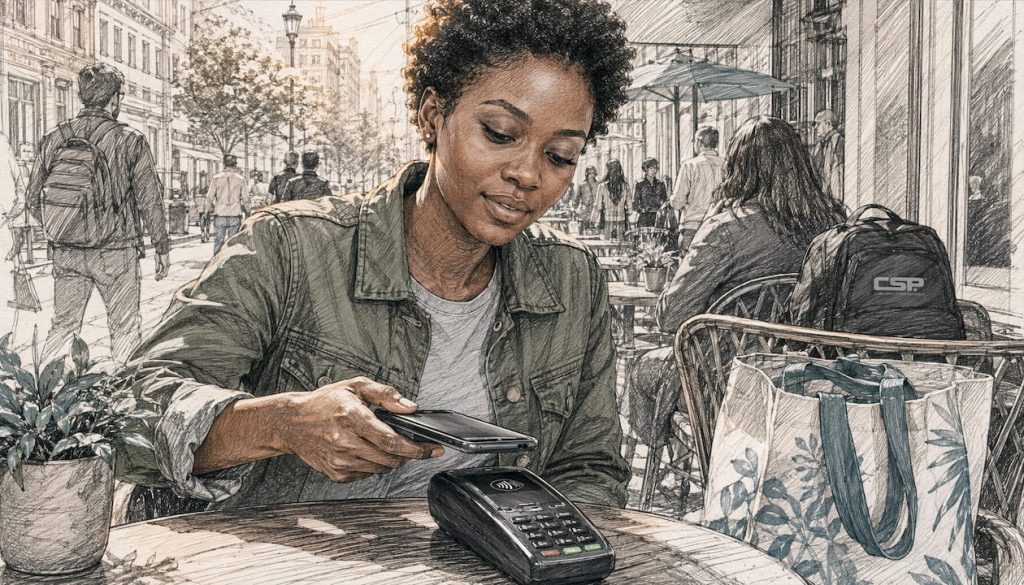
Tap to pay is a contactless payment method that uses Near Field Communication (NFC) and EMV tokenization to complete a card-present transaction in under a second. When used correctly, it’s safer than swiping a magnetic stripe card. Networks like Visa and Mastercard, wallets like Apple Pay and Google Pay, and the EMVCo standards body all back the same underlying security model: your real card number never leaves your device or card in a usable form.
- Speed and convenience: A tap typically completes in under a second, no PIN entry or signature required for most everyday purchases.
- Device flexibility: Contactless cards, NFC-enabled iPhones and Android phones, smartwatches, and wearables all work at any terminal displaying the contactless symbol.
- Security model: Your card number is replaced by a device-specific token, and every transaction generates a one-time cryptogram that can’t be reused by anyone who intercepts it.
Pro Tip: If you use Apple Pay or Google Pay, your actual card number is never transmitted to the merchant. The token the merchant receives is useless without the matching cryptogram from your device.
Table of Contents
- How tap to pay works: the NFC and EMV transaction flow
- Which cards and devices support tap to pay, and how do you use them?
- Why tap to pay is secure, and the realistic risks you should know
- How merchants can accept tap to pay, and what it means for fees and liability
- What to do when a tap fails, and how contactless limits work
- Key Takeaways
- The case for contactless: why adoption keeps accelerating
- Card Service Professionals helps merchants accept contactless payments with confidence
- Authoritative sources for further reading
How tap to pay works: the NFC and EMV transaction flow
The short version: when you tap, your card or device completes a card-present EMV contactless transaction using NFC as the wireless link and tokenization to protect your real account number. Here’s what happens in those fractions of a second.
Step 1 — Terminal handshake. The payment terminal broadcasts a low-power radio field (13.56 MHz). When your card or phone comes within about 1–2 inches, the NFC chip in your device powers up and the two devices exchange capability data.
Step 2 — Token and cryptogram generation. Your card or mobile wallet supplies a payment token (a substitute account number, not your real PAN) along with a transaction-specific EMV cryptogram. This cryptogram is generated fresh for every single transaction using a key stored in hardware, so it’s mathematically tied to that exact purchase amount, merchant, and timestamp.

Step 3 — Acquirer forwards to the network. The terminal passes the token and cryptogram to your merchant’s acquiring bank, which routes it to the appropriate card network (Visa, Mastercard, etc.).
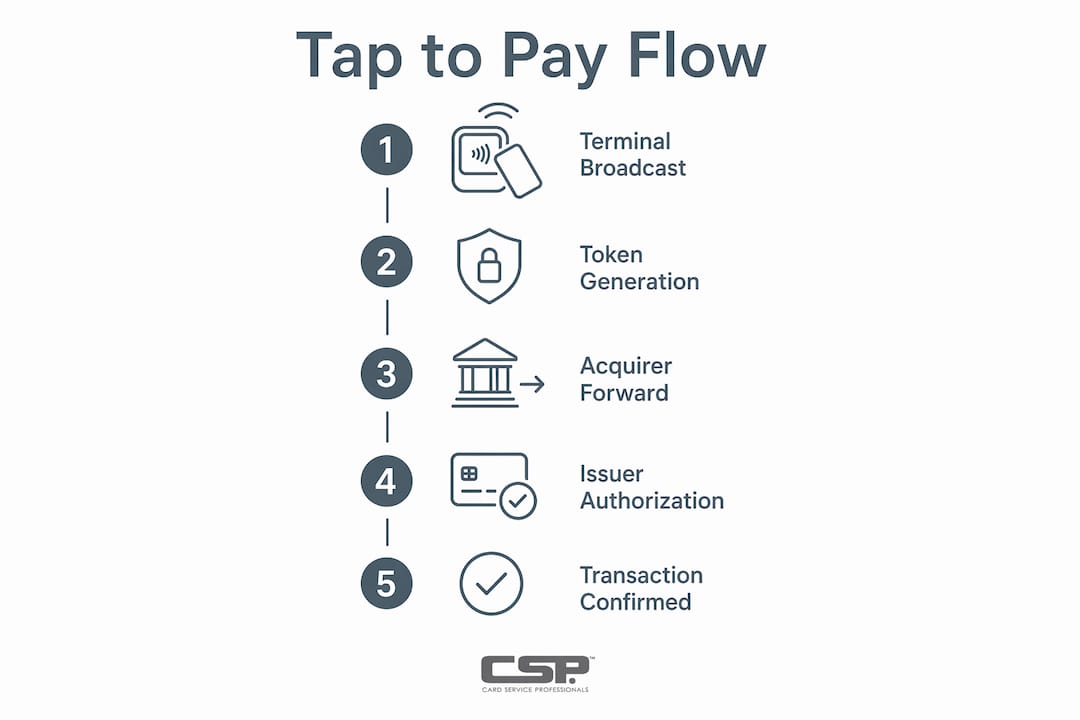
Step 4 — Issuer authorizes. The card network detokenizes the token to find your real account, verifies the cryptogram’s authenticity, checks your available balance, and sends back an approval or decline.
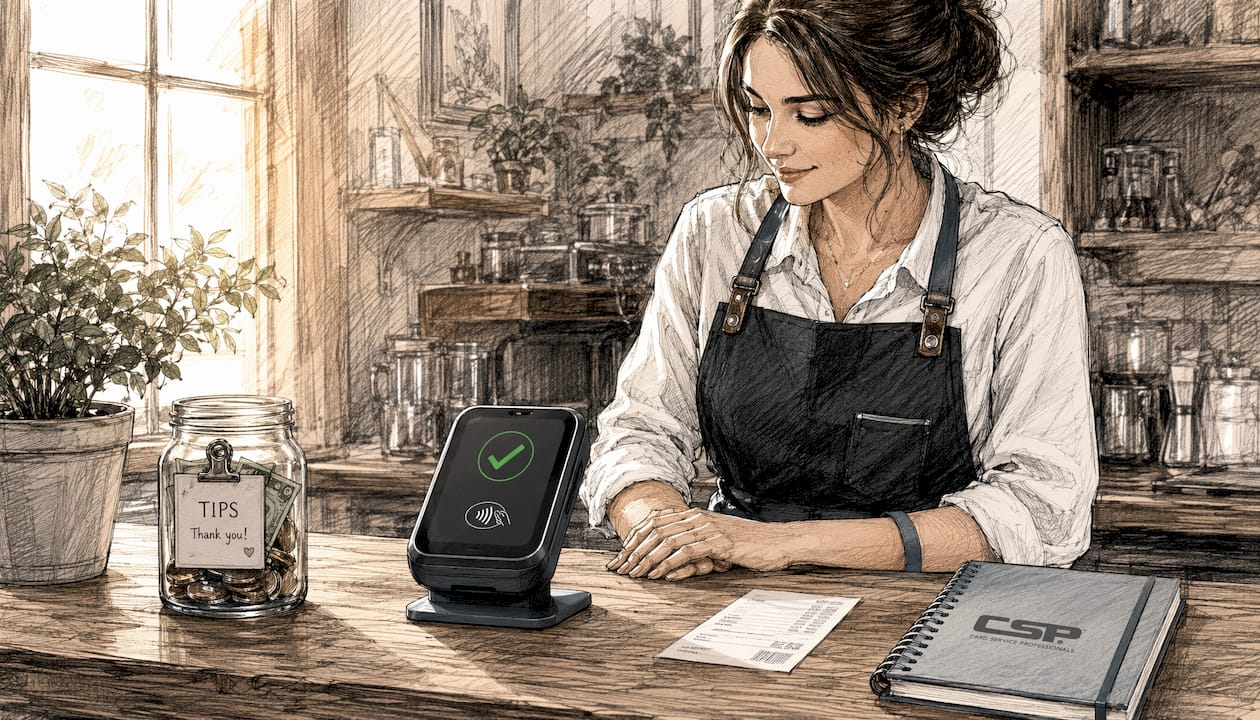
Step 5 — Terminal confirms. The terminal displays a checkmark or beep. Done. The whole process takes roughly the same time as unlocking your phone.
Why tokenization beats a static card number: A magnetic stripe card sends the same account number every time. Anyone who skims it can reuse it. A contactless token is device-specific and the cryptogram is single-use, so stolen transaction data can’t be replayed. Mobile wallets go further by storing cryptographic keys in a hardware-backed area (Apple’s Secure Enclave, Android’s Trusted Execution Environment) and requiring biometric confirmation before releasing them.
| Component | Role | Why it matters |
|---|---|---|
| NFC | Proximity wireless link | Limits range to ~1–2 inches, reducing interception risk |
| Token (device PAN) | Replaces your real card number | Merchant never sees your actual account |
| EMV cryptogram | Per-transaction proof of authenticity | Stolen data can’t be reused in a different transaction |
| Secure Enclave / TEE | Hardware key storage | Keys can’t be extracted even if the OS is compromised |
| Biometrics / PIN | Device-level cardholder verification | Confirms you authorized the payment before keys are released |
Pro Tip: Go into your wallet app settings and remove any Express Transit cards you don’t actively use. Express Transit bypasses biometric confirmation by design, which is convenient on a subway but a minor exposure risk if your phone is lost.
Which cards and devices support tap to pay, and how do you use them?
Most payment cards issued in the U.S. in the last several years carry a contactless chip. Look for the sideways Wi-Fi-style symbol on the front or back of your card. If it’s there, you’re set. If not, call your bank and ask for a contactless-enabled replacement.
Devices that support contactless payments:
- Contactless credit and debit cards issued by banks and credit unions with the EMV contactless symbol
- iPhones (iPhone 6 and later) via Apple Pay, including Apple’s “Tap to Pay on iPhone” feature for merchants
- Android phones with NFC enabled via Google Pay or a bank’s native wallet app
- Apple Watch, Samsung Galaxy Watch, Fitbit, and other NFC-enabled wearables linked to a payment card
- Garmin and other fitness devices that support Garmin Pay
How to make a tap payment (step by step):
- Look for the contactless symbol on the payment terminal. It looks like a sideways Wi-Fi icon with four curved lines.
- For a physical card: hold it within 1–2 inches of the terminal’s reader area. No swiping, no inserting.
- For a phone or watch: wake the device (or double-click the side button on iPhone), authenticate with Face ID, Touch ID, or your PIN, then hold the back of the device near the reader.
- Wait for the beep or green checkmark. That’s your confirmation.
- A receipt is optional. Many terminals offer digital receipts via email or SMS.
How to check if your card or device is contactless-ready:
- Card: look for the contactless symbol, or log in to your bank’s app and check card details.
- Phone: go to Settings and search for NFC. On iPhone, NFC is always on when Apple Pay is set up.
- Wearable: open the companion app (Fitbit, Garmin Connect, Galaxy Wearable) and check the payment section.
If your card or device is lost or stolen:
- Immediately open your mobile wallet app and remove the card from the device.
- Call your card issuer to report the loss and request a new card number.
- Use your phone’s remote-lock or remote-wipe feature (Find My iPhone, Google Find My Device) to lock the device.
- Monitor your statements for unauthorized charges and dispute any you didn’t make.
Consumer Reports advises distinguishing digital wallets from linked bank accounts for high-stakes recurring payments. Linking critical payments directly to a bank account avoids disruption if a wallet app experiences an outage.
Why tap to pay is secure, and the realistic risks you should know
The core security claim holds up: EMV contactless transactions have among the lowest fraud rates of any common payment method, because they are card-present and use dynamic cryptograms. Mobile wallets add biometric device-level protections on top of that. But “secure” doesn’t mean “zero risk,” and the remaining risks are mostly non-cryptographic.
Realistic threats to understand:
- Relay attacks: An attacker uses two devices to extend the NFC range, tricking a terminal into thinking your card is present when it’s actually in your pocket across the room. Rare in practice, but demonstrated in research settings.
- Ghost tapping: A contactless card in a wallet or bag can be charged without the owner’s knowledge if someone holds a rogue reader close enough. A shielded card sleeve blocks this.
- Express Transit bypass (Apple Pay + Visa): A reproducible vulnerability has been demonstrated against iPhones using Apple Pay’s Express Transit Mode with Visa. A man-in-the-middle technique can flip transaction bits to bypass verification in that specific scenario. The fix is simple: remove Visa cards from Express Transit mode unless you actively need them.
- Social engineering and account takeover: Most real-world losses don’t come from breaking the cryptography. They come from phishing, SIM swaps, and fake customer-service calls that trick users into handing over credentials.
Practical mitigations:
- Enable Face ID, Touch ID, or a strong PIN on every device with a wallet app.
- Keep your phone’s OS and wallet apps updated. Security patches close known NFC and software vulnerabilities.
- Review app permissions. A payment app doesn’t need access to your contacts or location history.
- Use a shielded card sleeve for contactless cards you carry in a crowded wallet.
- Monitor your statements weekly. Catching a fraudulent charge early limits your liability exposure.
- Report suspicious activity to your issuer immediately. Most card networks offer zero-liability policies for unauthorized contactless transactions.
Security practitioners emphasize that the human element is the final line of defense. The cryptography is strong. User settings and behavior are where most real losses originate.
Pro Tip: Go to Settings > Wallet & Apple Pay > Transit Cards on your iPhone and review which cards have Express Transit enabled. Remove any you don’t use regularly. This takes 30 seconds and closes the most commonly cited NFC vulnerability on iPhones.
How merchants can accept tap to pay, and what it means for fees and liability
Any merchant with an EMV contactless-capable terminal can accept tap payments today. If your terminal has the contactless symbol and the NFC reader is activated, you’re already accepting them. If not, the upgrade path is straightforward.
Tap on Phone: turning your phone into a terminal. Mastercard’s Tap on Phone solution lets an eligible NFC-enabled mobile device act as a point-of-sale terminal without any dedicated hardware. It uses the same EMV security technology as chip cards and consists of three components: the merchant’s NFC-enabled phone, a certified Tap on Phone payment application (CPoC or MPoC certified), and a secure backend that handles attestation and processing. Merchants can accept contactless cards and digital wallets without buying a dedicated reader. Apple’s “Tap to Pay on iPhone” works on the same principle for iOS devices.
Merchant paths to contactless acceptance:
- Confirm your existing terminal supports NFC. Check the terminal model against your processor’s supported-hardware list. Many terminals sold after 2019 have NFC hardware that just needs to be activated.
- Ask your processor about Tap on Phone apps. If you’re mobile or pop-up based, a certified Tap on Phone app eliminates the need for a physical reader. Verify the app carries CPoC or MPoC certification.
- Confirm PCI attestation. Tap on Phone solutions require a backend attestation process. Ask your provider for documentation.
- Integrate with your POS or inventory system if you need itemized receipts or sales reporting.
- Train staff on the contactless reader location on the terminal and how to prompt customers.
Fees and liability in plain terms:
Contactless NFC transactions are treated as card-present EMV transactions for liability purposes. Interchange rates for contactless are generally identical to chip transactions. There’s no surcharge for accepting a tap versus a chip insert. The liability benefit is real: when your terminal and procedures meet EMV and PCI requirements, fraud liability frequently shifts toward the card issuer or network rather than sitting with you as the merchant. That’s a meaningful difference from a non-EMV swipe transaction, where the merchant often bears the loss.
Questions to ask your processor or POS vendor:
- Does my current terminal model support NFC contactless, and is it activated on my account?
- What Tap on Phone apps do you support, and are they CPoC or MPoC certified?
- How are contactless transactions reflected on my monthly statement?
- What is your policy on terminal firmware updates and security patches?
- Do you provide chargeback support for contactless disputes?
For a broader look at your payment processing setup, a structured checklist helps catch gaps before they become problems. Merchants evaluating terminal options can also review card reader types to compare NFC support across hardware categories.
What to do when a tap fails, and how contactless limits work
A failed tap is usually a positioning or configuration issue, not a security problem. Here’s how to diagnose it fast.
Common reasons a tap fails:
- Damaged card antenna: The NFC antenna in a contactless card runs around the card’s edge. Bending, punching holes, or storing it near magnets can break it.
- Terminal not configured for contactless: The hardware may support NFC, but the feature isn’t activated on the merchant’s account.
- NFC turned off on your phone: Android devices let you toggle NFC in Settings. Check it’s on.
- Low battery on a wearable: Most smartwatches disable NFC payments below a certain battery threshold to preserve reserve power.
- Offline terminal limit reached: Some terminals operate in offline mode and have a floor limit. Transactions above that amount require online authorization, which may trigger a chip-insert prompt.
- Merchant not set up for contactless: Smaller or older merchants may have terminals that display the symbol but haven’t enabled the feature with their processor.
Understanding CVM limits (when you’ll need a PIN or biometric):
CVM stands for Cardholder Verification Method. In the U.S., most contactless card transactions below a certain dollar threshold complete without any PIN or signature. Above that threshold, the terminal may prompt for a PIN, signature, or biometric confirmation. The specific threshold varies by card network and issuer. Mobile wallets like Apple Pay and Google Pay handle this differently: they require biometric or PIN confirmation on the device for every transaction, regardless of amount, which is why they’re considered more secure than a physical contactless card for larger purchases.
Quick fixes for consumers:
- Reposition your card or phone directly over the reader symbol on the terminal.
- If using a phone, make sure the screen is on and the wallet app is active.
- Try again once. Misreads happen.
- If the tap still fails, insert the chip or swipe if available.
- If your card repeatedly fails contactless at multiple terminals, call your issuer. The contactless feature may be disabled on your account.
Quick checks for merchants:
- Confirm the terminal firmware is current. Outdated firmware is a common cause of NFC failures.
- Inspect the terminal for overlays or tampering. A skimming overlay can physically block the NFC reader.
- Log in to your processor’s portal and verify contactless acceptance is enabled on your merchant account.
- If one terminal fails but others work, the issue is likely hardware. Contact your processor for a replacement or repair.
Key Takeaways
Tap to pay uses NFC and EMV tokenization to complete a card-present transaction in seconds, and its dynamic per-transaction cryptogram makes it more secure against fraud than a magnetic stripe swipe.
| Point | Details |
|---|---|
| What it is | A contactless payment using NFC and EMV tokenization; your real card number is never transmitted. |
| Why it’s secure | Every transaction generates a one-time cryptogram; stolen data cannot be replayed in a new transaction. |
| Top consumer step | Enable biometrics on your wallet app and remove unused Express Transit cards from Apple Pay. |
| Top merchant action | Confirm your terminal’s NFC is activated and ask your processor about CPoC-certified Tap on Phone options. |
| Card Service Professionals | Helps U.S. merchants evaluate and set up contactless-capable terminals and processing agreements with competitive rates. |
The case for contactless: why adoption keeps accelerating
Merchants who’ve upgraded to EMV contactless terminals consistently report faster checkout lines and fewer chargebacks. The liability shift alone is a compelling business reason: a contactless EMV transaction treated as card-present moves fraud liability toward the issuer in most cases, which is a direct cost reduction for a small retailer who has previously eaten fraudulent swipe transactions.
From a consumer standpoint, the convenience argument is obvious. But what’s underappreciated is how much stronger the security model is compared to what most people replaced. A magnetic stripe card is a static data record. Anyone who reads it once can clone it. A contactless token is device-specific and expires after one use. The cryptography isn’t the weak point. The weak point is always the human layer: a phishing email, a SIM swap, an Express Transit card left enabled on a lost phone.
The merchants I see hesitate on contactless acceptance usually have one of two concerns: fees or complexity. On fees, the data is clear. Contactless interchange is the same as chip. On complexity, Tap on Phone has removed the last real barrier. A certified app on an NFC phone is a fully functional terminal. There’s no hardware to buy, no counter space to sacrifice.
The businesses that move on this now are the ones that won’t be scrambling when customer expectations shift further toward tap-and-go. That shift is already well underway.
Card Service Professionals helps merchants accept contactless payments with confidence
Small businesses that want to accept tap payments don’t need to figure out terminal compatibility, fee structures, and Tap on Phone certification on their own. Card Service Professionals works as an independent agent for several of the leading U.S. merchant service providers, which means you get access to competitive processing rates, including cash discount programs, without being locked into a single provider’s hardware or contract terms.

Whether you need a new EMV contactless terminal, a mobile card reader for on-the-go sales, or a Tap on Phone solution that turns your existing phone into a POS, Card Service Professionals can match you with the right setup for your business type and volume. The merchant services guide on the site walks through what to expect from a processing agreement, and the sign-up application takes only a few minutes to complete. If you’d rather talk through your current setup first, that’s an option too.
Authoritative sources for further reading
- EMVCo — EMV Contactless Chip: The standards body that defines contactless kernel behavior, cryptogram requirements, and certification for cards and terminals.
- Mastercard Tap on Phone Implementation Guide (May 2024): Merchant-facing technical guide covering Tap on Phone components, CPoC/MPoC certification, and deployment steps.
- Consumer Reports — Using Contactless Payments on Phone: Practical consumer-protection guidance on mobile wallet security, liability differences, and account-linking strategy.
- Stamp Out Scams — Tap-to-Pay Risks: A Mobile Payments Security Guide: Security-practitioner breakdown of relay attacks, ghost tapping, social engineering, and mitigation steps.
- Zeebrain — Tap-to-Pay Has a Real Security Flaw: Technical explainer on the Apple Pay Express Transit + Visa vulnerability and how it works.
- PaymentsWithAl — EMV, NFC, and Swipe: Does How Your Customer Pays Affect Your Fees?: Practitioner analysis of interchange rates, liability rules, and fraud-rate comparisons across payment methods.
- Wikipedia — Contactless Payment: Broad technical overview of contactless payment standards, history, and global deployment.
Recommended
- Pay by Phone Explained for U.S. Retail Merchants – Card Service Professionals
- Accepting Payments on the Go: A Retail Merchant’s Guide – Card Service Professionals
- Payment Integration Explained for U.S. Retail Merchants – Card Service Professionals
- Merchant Account Explained for U.S. Retail Merchants – Card Service Professionals
