



The highest-impact retail payment upgrades right now are cloud-enabled POS systems, EMV/contactless terminals, mobile wallets, payment orchestration with network tokenization, real-time inventory and payment sync, and AI-assisted fraud and authorization logic. Together, these upgrades move the needle on three things that directly affect your bottom line: conversion rates, authorization approval, and per-transaction cost.
The single best thing you can do this week: pull your last 90 days of payment data and check your authorization approval rate, your checkout abandonment rate, and your chargeback count. Those three numbers tell you exactly where to start.
TL;DR — Top upgrades to prioritize:
- EMV/contactless terminals with NFC support for tap-to-pay and mobile wallets
- Cloud POS with real-time inventory sync across in-store and online channels
- Payment orchestration and network tokenization to lift authorization rates and cut fraud
- Digital wallets and BNPL (Apple Pay, Google Pay, buy-now-pay-later) to reduce checkout abandonment
- PCI DSS v4.x compliance as a continuous security practice, not a one-time checkbox
Table of Contents
- What are the best examples of retail payment upgrades by channel?
- How do you build a roadmap for upgrading retail payments?
- What should your POS, payments, and inventory systems actually connect to?
- How do payment upgrades change your fraud risk and compliance obligations?
- Which KPIs actually tell you if a payment upgrade worked?
- How do you choose a payments partner and spot vendor red flags?
- Why payment upgrades are orchestration projects, not just hardware swaps
- Key Takeaways
- The trade-offs most retailers underestimate
- Card Service Professionals can help you upgrade your payment stack
- Useful sources for further reading
What are the best examples of retail payment upgrades by channel?
Grouping upgrades by channel makes prioritization easier. The right starting point depends on where your customers are dropping off or where your operations are slowest.
In-store upgrades
EMV and NFC contactless terminals are the baseline. If your hardware is older, it may lack the NFC capability needed for tap-to-pay and mobile wallets. Replacing a terminal involves a purchase or lease cost that varies depending on the provider and plan. The operational lift is low: most staff can be trained in under an hour, and the fraud liability shift alone makes the upgrade worth it.
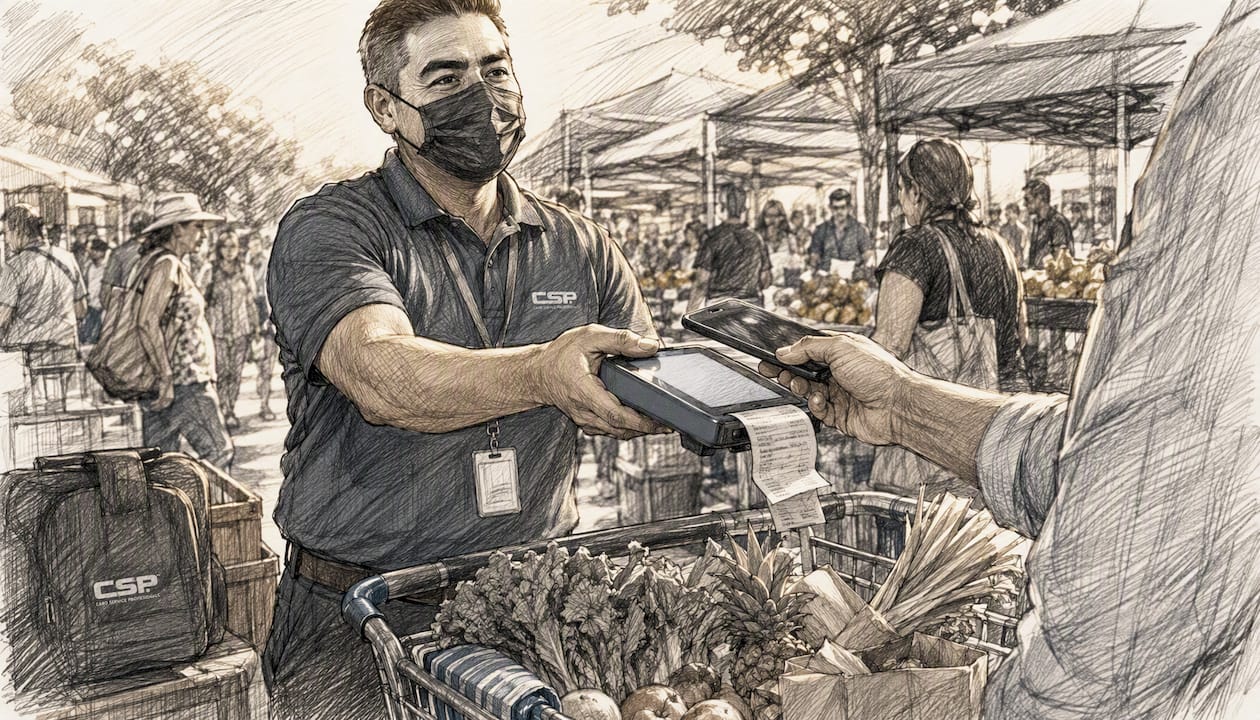
Mobile card readers let you accept payments anywhere in the store, at pop-ups, or at curbside. A mobile card reader for retail costs as little as $30–$50 for the reader itself, with processing fees on top. The main consideration is connectivity: make sure your Wi-Fi or cellular coverage is solid before deploying floor staff with readers.
Kiosk and self-checkout setups reduce labor costs and speed throughput for high-volume stores. Hardware and software for kiosk and self-checkout setups represent a significant investment, with integration complexity as a key factor. Plan several months for a proper rollout of kiosk and self-checkout setups.
Integrated loyalty at POS means customers earn and redeem points without a separate card swipe or app login. When loyalty is built into the terminal flow, redemption rates climb and staff handling time drops. Most modern POS platforms support this natively or via a plugin.
Online upgrades
Network tokenization replaces raw card numbers with tokens that are specific to your merchant account and device. This reduces fraud and, critically, keeps tokens valid when a customer gets a new card, which protects your authorization rate on recurring and saved-card transactions.

Digital wallet acceptance (Apple Pay, Google Pay) at checkout cuts the number of fields a customer has to fill in on mobile. Fewer fields means fewer abandoned carts. Adding these wallets to a modern payment gateway is typically a low-effort, low-cost change that takes days, not months.
BNPL integrations (buy-now-pay-later) let customers split purchases into installments. For retailers selling higher-ticket items, BNPL consistently lifts average order value. The trade-off is a slightly higher merchant fee than a standard card transaction, so run the math against your margins before committing.
Frictionless guest checkout and passwordless authentication remove the forced account-creation step that kills mobile conversions. Offering a one-click guest checkout with a saved wallet option is one of the fastest wins available for any online store. Implementation time is typically days to a couple of weeks depending on your platform. For more on online payment experience improvements, mobile optimization and transparent pricing are consistently the top requests from shoppers.
Pay-by-bank and A2A payments are emerging options worth watching. They route transactions directly from a customer’s bank account, bypassing card networks. Costs can be lower, but adoption among U.S. consumers is still building, and fraud and dispute handling are less mature than card rails.
Omnichannel upgrades
Real-time inventory sync between your POS and ecommerce storefront eliminates the overselling problem that frustrates customers and creates manual cleanup work. Modern POS systems connect directly to ecommerce platforms to sync inventory in real time, reducing manual reconciliation and the operational drag that comes with it.
Unified receipts and customer profiles mean a customer who buys in-store and online shows up as one customer in your system, not two. This enables accurate lifetime value tracking, better loyalty program management, and cleaner reporting.
Buy-online-pickup-in-store (BOPIS) payment flows require the payment to be captured at the right moment (usually at online checkout, not pickup) and the inventory to be reserved immediately. Getting this right requires your POS, payment gateway, and ecommerce platform to talk to each other in real time. Medium complexity, medium cost, but high customer satisfaction payoff.
Single reconciliation across channels via payment orchestration means one settlement report instead of three. Payment orchestration layers sit above your processors and route transactions intelligently, consolidating reporting and giving you one view of your money.
Pro Tip: Before adding new payment methods, fix your authorization rate on existing ones. A 2% improvement in approval rate on your current volume almost always delivers more revenue than adding a new wallet integration.
How do you build a roadmap for upgrading retail payments?
A payment upgrade without a sequence is just a list of projects competing for the same budget and staff attention. Here is a practical order that works for most small-to-medium U.S. retailers.
Step 1: Audit your current payment stack (Week 1–2)
Pull these five data points before you spend a dollar:
- Payment acceptance mix — what percentage of transactions are card, cash, mobile wallet, and other?
- Hardware age and EMV/NFC capability — can your terminals accept tap-to-pay and chip cards?
- Authorization and decline rates — what percentage of attempted transactions are approved?
- Chargeback rate — are you above 0.5% of transactions? Above 1% puts you in risk territory with processors.
- PCI scope — do you know which systems touch cardholder data and whether you are current on your SAQ?
This audit requires a few hours of work and no direct costs. Use your processor’s reporting portal, your POS dashboard, and your last monthly statement. A payment processing cost audit is the fastest way to find money you are already losing.
Step 2: Prioritize by conversion impact vs. cost vs. complexity (Week 2–3)
Sort your identified gaps into three buckets:
- Quick wins (days to 2 weeks, low cost): Adding Apple Pay/Google Pay to an existing gateway, enabling tap-to-pay on current hardware if NFC is already present, turning on guest checkout.
- Medium projects (1–3 months, moderate cost): Replacing aging terminals, adding BNPL, integrating loyalty at POS.
- Strategic projects (3–6 months, higher investment): Full POS replacement, omnichannel inventory sync, payment orchestration layer, BOPIS implementation.
Step 3: Select vendors and negotiate contracts (Week 3–6)
Request itemized fee schedules. Ask for a sandbox environment before signing. Confirm settlement timing (next-day vs. two-day), chargeback support procedures, and PCI compliance assistance. Short pilot terms (30–90 days) are worth negotiating for any major hardware or software commitment.
Step 4: Integrate and test (Weeks 6–12 for medium projects; months 3–6 for strategic)
Run a pilot in one location or one product category before full rollout. Test every payment method end-to-end, including refunds and partial payments. Confirm that inventory updates correctly after a sale and that reconciliation reports match across systems.
Step 5: Train staff and communicate to customers (1–2 weeks before launch)
Staff training for a new terminal or wallet acceptance takes two to four hours for most teams. Customer communication can be as simple as a sign at checkout and a note in your email newsletter. Do not assume customers will figure it out on their own.
Step 6: Measure and refine (Days 30, 60, 90 post-launch)
Track the KPIs from your pre-upgrade baseline. Authorization rate, abandonment rate, and chargeback rate should all move in the right direction within 90 days if the upgrade is working.
Sample budget ranges for small-to-medium U.S. retailers:
- Terminal replacement costs vary depending on quantity and lease or purchase options.
- POS software upgrade typically involves a monthly subscription cost that varies by platform.
- Full POS replacement with omnichannel sync requires an upfront investment plus recurring software fees.
- Payment orchestration layers come with monthly fees that depend on transaction volume and service provider.
- BNPL integration: usually no upfront cost; fee is per transaction (typically 2–6% of transaction value)
What should your POS, payments, and inventory systems actually connect to?
The most common integration failure in retail payment upgrades is treating each system as a standalone. A modern payment stack needs these connections working reliably:
POS ↔ payment gateway ↔ payment processor ↔ ecommerce ↔ inventory/ERP ↔ loyalty. Every link in that chain needs to be real-time or near-real-time, not a nightly batch sync.
What to require from vendors
- Real-time inventory sync via API, not file-based batch updates. If a product sells in-store at 2 PM, your online store should show it unavailable by 2:01 PM.
- Webhooks for settlement events so your accounting system knows when funds land, not just when a transaction is authorized.
- Tokenization support and network token API compatibility. Ask vendors directly: “Do you support network tokens from Visa and Mastercard?” If they hedge, that is a gap.
- Sandbox access with realistic test data before you sign anything. A vendor who cannot give you a test environment is a vendor who will surprise you in production.
- Reconciliation reports that match your bank statement line by line. If you have to manually reconcile three reports to get one number, the integration is not done.
A modern POS configured correctly can also set reorder points and automate purchase orders, turning transaction data into operational intelligence rather than just a record of what sold.
Questions to ask during demos and RFPs
- What is your average settlement time, and what is your SLA for failed settlements?
- How do you handle a gateway outage during peak hours?
- What is your rollback procedure if an integration update breaks our checkout flow?
- Do you provide SDK documentation and a dedicated integration support contact?
- How do you handle PCI scope for our specific setup (cloud POS, ecommerce, mobile readers)?
Hardware and cloud considerations
EMV and NFC support are non-negotiable for new hardware purchases. Confirm that any terminal you buy or lease receives regular OS and firmware updates from the manufacturer. Cloud-based POS systems generally offer faster update cycles and lower IT overhead than on-premises systems, which matters for a small retailer without a dedicated IT team. The trade-off is internet dependency: a solid backup connectivity plan (cellular failover, for example) is worth the extra $30–$50 per month.
How do payment upgrades change your fraud risk and compliance obligations?
Every upgrade that touches cardholder data changes your PCI scope and your fraud profile. Understanding what changes and what you need to do about it prevents expensive surprises.
How tokenization and EMV reduce fraud
EMV chip cards dramatically reduce counterfeit card fraud at the point of sale because the chip generates a unique transaction code that cannot be reused. Network tokenization goes further for card-not-present transactions: the token is specific to your merchant account, so even if it is intercepted, it is useless to an attacker elsewhere. Together, these two technologies address the two most common fraud vectors for U.S. retailers.
Real-time risk scoring, available in most modern payment gateways, flags suspicious transactions before authorization rather than after. AI-enabled POS platforms extend this to in-store shrink monitoring, flagging unusual transaction patterns at the register level.
Authorization optimization
Intelligent routing sends a transaction through the processor most likely to approve it based on card type, issuer, and transaction history. A/B testing wallet flows versus card flows can reveal which method has a higher approval rate for your specific customer base. The key balance: fraud tools that are too aggressive will decline legitimate transactions and frustrate good customers. Tune your thresholds based on your actual chargeback data, not industry defaults.
PCI DSS v4.x: what merchants must do now
PCI DSS v4.x shifts compliance from a point-in-time audit to continuous security practice. Key requirements include:
- Quarterly vulnerability scans for many ecommerce merchant profiles
- Multi-factor authentication (MFA) for all access to the cardholder data environment (CDE)
- Role-based access controls with documented responsibilities
- Certificate management and updated malware/phishing protections
- Wireless security measures if your POS or payment terminals use Wi-Fi
Cisco’s retail PCI 4.0 guidance highlights that new requirements cover stronger authentication, new ecommerce-specific controls, and wireless security tied to the cardholder data environment. These are not optional enhancements; they are requirements that apply when you upgrade your systems.
Special U.S. note: EBT chip card interoperability
Retailers near state lines who accept SNAP/EBT payments need to test EBT chip card interoperability specifically. State-by-state rollout variances and waivers can cause inconsistent terminal behavior for SNAP purchases, meaning a card that works fine in one state may behave differently at a terminal just across the border. Test this before you go live, not after a customer complaint.
Pro Tip: Before rolling out any authorization logic change (new fraud rules, new routing, new wallet), run a two-week controlled pilot on a single terminal or a subset of transactions. Compare approval rates and chargeback rates against your baseline before expanding.
Which KPIs actually tell you if a payment upgrade worked?
Measuring the right things after an upgrade is what separates a successful rollout from one that just cost money. These are the metrics that matter.
Primary KPIs to track
- Authorization approval rate: The percentage of attempted transactions that are approved. This is your single most important payment metric. A 1–2 percentage point improvement on meaningful volume translates directly to revenue.
- Checkout abandonment rate: For online stores, the percentage of customers who start checkout but do not complete it. Payment friction (too many fields, no saved wallet, forced account creation) is one of the top causes.
- Average order value (AOV): BNPL and upsell features in AI-enabled POS systems both tend to lift AOV. Track it separately for transactions using each payment method.
- Payment cost per transaction: The total processing cost divided by transaction count. This should decrease as you optimize routing and negotiate better rates.
- Chargeback rate: Target below 0.5% of transactions. Above 1% and most processors will put you on a monitoring program.
- Time-to-reconcile: How long it takes your team to close the books each day or week. Real-time sync and unified reporting should cut this measurably.
Where to get the data
Your POS reporting dashboard, your payment gateway’s analytics portal, and your accounting or ERP system’s reconciliation exports are the three sources. If those three do not agree, your integration has a gap.
Benchmarking and attribution
Set a 90-day measurement window starting from the day of launch. Compare each KPI against the 90-day pre-launch baseline. The challenge is attribution: if you run a promotion at the same time as a payment upgrade, separating the effects is difficult. Try to isolate payment changes from marketing changes by timing them at least two weeks apart.
AI-enabled POS features including predictive demand forecasting, automated reconciliation, and real-time fraud monitoring can accelerate improvement across several of these KPIs simultaneously, which is why they show up in payment upgrade case studies for small retailers that previously could not afford enterprise-level analytics.
How do you choose a payments partner and spot vendor red flags?
The wrong processing partner costs you more than just fees. A bad contract can lock you in for three to five years with automatic renewal clauses and early termination fees that run into thousands of dollars.
Selection checklist
- Contract transparency: Is the fee schedule itemized? Can you see interchange, processor markup, and monthly fees as separate line items?
- Settlement timing: Next-day funding is standard for most U.S. merchants. Two-day or longer is a red flag unless there is a clear reason.
- Chargeback support: Does the processor provide dispute management tools and representment support, or do you handle it alone?
- PCI compliance assistance: Will they help you complete your SAQ and provide a compliant gateway, or is PCI entirely your problem?
- Integration libraries: Do they have documented APIs, SDKs, and a sandbox environment?
- References: Can they provide references from merchants in your industry and volume range?
Red flags to walk away from
- Opaque fee disclosures: If a sales rep cannot give you a written, itemized fee schedule before you sign, stop the conversation.
- Long-term automatic renewals with harsh penalties: A three-year contract with a $500–$2,000 early termination fee is common but negotiable. A five-year auto-renewing contract with a liquidated damages clause is not.
- No sandbox or limited testing access: Any processor worth working with gives you a test environment before go-live.
- Poor reconciliation reporting: If the demo shows you a single “total deposits” number with no transaction-level detail, your accounting team will suffer for it.
For a deeper look at warning signs in processing agreements, the payment processing red flags guide covers the contract terms and fee structures that most merchants miss until it is too late.
Negotiation tips
Request an itemized fee schedule in writing before signing. Ask for a 30–90 day pilot period with no long-term commitment. Negotiate service credits for SLA misses on settlement timing or gateway uptime. If a vendor refuses all of these, that tells you something.
Pro Tip: Ask every prospective processor: “What is your process if my authorization rate drops by 5% after switching?” A good partner has a diagnostic protocol. A bad one will blame your customers.
In-house vs. third-party payment orchestration
For most small-to-medium U.S. retailers, a third-party payment orchestration layer (a software layer that sits above your processors and routes transactions intelligently) makes more sense than building in-house routing logic. The cost is a monthly fee; the benefit is multi-processor redundancy, consolidated reporting, and the ability to switch processors without rebuilding your checkout. Consider it when you are processing more than $500,000 per year or operating across multiple channels.
Why payment upgrades are orchestration projects, not just hardware swaps
The retailers who get the most out of payment upgrades are the ones who treat them as multi-system projects with ongoing governance, not one-time hardware purchases. The research backs this up.
Modern POS adoption is shifting to software-led ecosystems that provide real-time omnichannel inventory synchronization, which reduces manual reconciliation and overselling. That is a fundamentally different model from buying a new terminal and plugging it in.
Payment optimization in 2026 is orchestration: merchants must treat payment methods as conversion levers and manage acceptance rates and costs together, viewing wallets, BNPL, and pay-by-bank as strategic tools rather than technical plumbing. — Merchant payments guidance, 2026
New payment rails add another layer of complexity. Pay-by-bank maturity, FedNow growth, stablecoin rulemaking, and ongoing interchange litigation all create both opportunities and near-term complexity for merchants. These rails can lower costs over time, but they require merchants to balance authorization logic, fraud prevention, and state-by-state compliance simultaneously. They are not plug-and-play cost reductions.
PCI DSS v4.x reinforces this orchestration framing. Compliance is now a continuous practice: quarterly vulnerability scans, MFA for CDE access, and an annual scope confirmation exercise. That means someone in your organization needs to own payment security as an ongoing responsibility, not a once-a-year task.
Practical implications for SMB retailers:
- Assign clear ownership for PCI compliance and payment security within your organization.
- Schedule quarterly reviews of your payment stack: authorization rates, chargeback trends, hardware firmware versions, and PCI scan results.
- Treat every new payment method or rail as a project with an integration spec, a test plan, and a rollback procedure.
- Document your cardholder data environment every time you add or change a system. Scope creep is the most common PCI compliance failure.
AI in POS platforms is accelerating this shift for small retailers. Predictive demand forecasting, smart checkout upselling, real-time fraud monitoring, and automated reconciliation were previously only feasible for large chains. Now they are available in cloud POS subscriptions that cost $100–$200 per month, which changes the competitive calculus for independent retailers.
Key Takeaways
The most effective retail payment upgrade strategy combines contactless hardware, network tokenization, and real-time inventory sync, then measures authorization rate and abandonment before and after each change.
| Point | Details |
|---|---|
| Audit before you spend | Pull authorization rate, chargeback rate, and abandonment data first; these numbers tell you where to start. |
| Prioritize authorization wins | A 1–2 point improvement in approval rate on existing volume delivers more revenue than most new payment method additions. |
| Treat upgrades as orchestration | POS, gateway, inventory, and ecommerce must connect in real time; a terminal swap alone is not a payment upgrade. |
| PCI DSS v4.x is continuous | Quarterly vulnerability scans, MFA for CDE access, and annual scope confirmation are now ongoing requirements, not annual checkboxes. |
| Card Service Professionals | Offers merchant onboarding, POS setup, PCI guidance, and cost-audit support for U.S. retailers ready to upgrade their payment stack. |
The trade-offs most retailers underestimate
The conventional wisdom on payment upgrades tends to focus on the shiny part: new hardware, new wallets, new rails. What gets less attention is the governance work that makes those upgrades actually stick.
The retailers who struggle most after a payment upgrade are not the ones who chose the wrong terminal. They are the ones who added a new payment method without updating their reconciliation process, or who enabled a new fraud rule without testing it against their actual customer base, or who signed a three-year processing contract without reading the auto-renewal clause.
Budget constraints are real. Most small retailers cannot do everything at once, and that is fine. The sequencing matters more than the speed. Fix your authorization rate before you add new payment methods. Get your POS and inventory talking to each other before you build out BOPIS. Nail your PCI compliance posture before you expand your cardholder data environment.
The faster-checkout-vs.-higher-per-transaction-fee trade-off is a good example of where the math is not always obvious. BNPL fees run higher per transaction compared to a standard credit card rate. For a retailer with thin margins, that can erase the AOV lift entirely. Run the numbers for your specific margin profile before committing.
Card Service Professionals works with small and medium U.S. retailers on exactly these trade-offs: which upgrades make sense at your volume, which contracts to avoid, and how to sequence the work without disrupting daily operations.
Card Service Professionals can help you upgrade your payment stack
Knowing which upgrades to make is one thing. Getting them implemented at competitive rates, with the right equipment and without a contract that traps you, is another.
Card Service Professionals works as independent agents for several of the leading U.S. merchant service providers, which means you get access to competitive processing rates, cash discount programs, and modern POS equipment without being locked into a single provider’s pricing. The practical advantage: we can match your volume and business type to the right processing solution rather than fitting you into one product.

Services that map directly to the upgrades in this article include merchant account setup, EMV and NFC-capable terminal deployment, payment gateway configuration, PCI compliance guidance, gift and loyalty card programs, and detailed merchant reporting so you can track the KPIs that matter. For retailers ready to run a cost audit first, the small business payment processing checklist is a practical starting point.
Ready to see what a better processing rate and a modern POS setup would look like for your store? Start your application or visit Card Service Professionals to request a free processing review.
Useful sources for further reading
These are the primary sources used in this article, selected for U.S. merchant relevance and authority:
- PCI Security Standards Council — PCI DSS Standards: The authoritative source for PCI DSS requirements. Start here for the official v4.x documentation and self-assessment questionnaires.
- PCI SSC Blog — Adopting Future-Dated Requirements of PCI DSS v4.x: Practical guidance on which v4.x requirements are now in force and what continuous compliance looks like for merchants.
- Merchant Advisory Group — The State of the Payments Industry: Mid-2026: Industry-level overview of new payment rails (FedNow, pay-by-bank, stablecoins), interchange litigation, and what they mean for U.S. merchants right now.
- SmallBizTrends — Your POS System Is More Than a Cash Register: Practical breakdown of how modern POS systems handle inventory sync, automated reordering, and omnichannel operations for small retailers.
- Cisco Blogs — Preparing for PCI 4.0 in the Retail Environment: Technical and operational guidance on PCI 4.0 requirements specific to retail environments, including wireless security and ecommerce controls.
- Federal Reserve — Diary of Consumer Payment Choice: Federal Reserve data on U.S. consumer payment preferences, useful for understanding which payment methods your customers actually use.
Recommended
- Types of Business Payment Solutions for U.S. Retailers – Card Service Professionals
- Why Accept Credit Cards in Retail: A U.S. Owner’s Guide – Card Service Professionals
- Partial Payment Processing Explained for U.S. Retailers – Card Service Professionals
- Payment Integration Explained for U.S. Retail Merchants – Card Service Professionals
